Register Guidelines E-Books Today's Posts Search


Fri December 21 2007

Word Of The Day for 21 December 2007

07:27 AM by Nate the great in Miscellaneous | Lounge

We're trying something new. If it works out, we will continue to post a new word on a daily basis. If you have a suggestion for a word, pm me and we'll add it to the list.


Defenestration
An act of throwing someone or something out of a window.

[ 20 replies ]


Tue December 18 2007

DNS9 - How to write a book without typing or writing

08:13 PM by Bob Russell in E-Book Readers | Alternative Devices

As I continue on a theme of presenting a few really great pieces of mobile software that don't get a lot of publicity in the mobile press, I want to share about Nuance's Dragon Naturally Speaking 9 Preferred.

I've used voice recognition software in the past (an old version of IBM's ViaVoice), and it was so annoying and insufficient that I had pretty much decided to stay away from such things until they became mainstream. Well, when I found out that Vista Professional had voice recognition, I had to consider it relatively mainstream, so I was anxious to see whether it was of any use or not.

Bottom line, I find Dragon Naturally Speaking (DNS) 9 to be wonderful, and Vista speech recognition to be "almost useful". Let me explain.

In Vista Professional, you can turn on the speech recognition feature and have it listen for your commands and dictation. There is a training program to help you train it how to hear your words and to teach you how to speak to Vista. It was just accurate enough to convince me that if I wanted badly enough to make it work, I could. (But I don't want it that bad!) The commands were straightforward, but it was sort of like learning the syntax for a new programming language. And I think that you would have to use it frequently to do it natural and not forget.

In Dragon Naturally Speaking 9, things worked great for me. The preferred package comes with a headset (the mic is very important for speech recognition). It's a good headset, but not especially comfortable. Others are also available elsewhere if you plan to use it often. But here's the thing... DNS9 actually worked decently without any training, and I didn't have to strain to try to be "understandable to the computer" the way I did with Vista.

Well here's what really got my attention... with the preferred version of the software, you can dictate into a portable device (anything that records decent quality into an .mp3 file, but I used my Treo 700p with CallRec). Then you transfer the .mp3 to your home computer and tell DNS9 to transcribe it for you. It isn't instant, so be prepared to let it run for hours or overnight depending on your processor speed and how much dictation you did. But when I looked at the results, I couldn't believe it -- it actually worked! Not perfect, mind you, but very accurate, requiring only minor corrections.

Back to my article title, think about it. Previously, we had a thread where a lot of people expressed an interest in writing a book. Many of us also want to do the Nanowrimo novel in a month exercise. Can you really think of a better way to do it, than to record it on your phone or personal media device and transcribe it automatically? I think this could be a great tool for writers on the go, and I'd say it sure beats typing it out on a smart phone thumb keyboard!

The bad news? First of all, you do have to spend about half an hour training DNS9 if you want it to recognize your speech recorded on a mobile device. It's just harder to do than directly on the headset, so the training allows it to be effective with the recording. Secondly, the price is a bit of a hurdle unless someone is fairly serious about using it. The preferred version (which has the mobile transcription features) lists for $199.99. And, finally, the killer for many prospective buyers is probably the lack of a trial version. As far as I can tell, there is no such option. And with so many people like me that have had a bad experience with voice recognition in the past, it could make a lot of buyers reconsider.

But I'm pretty sure that most writers who are going to dedicate so much time to their creations, are probably going to be willing to consider this sort of an outlay for the tools of their trade. If you want to do just about anything, you need tools or equipment. I think the price may just be worth it for many writers, because it opens many doors for writing on the go. And if a writer has carpal tunnel from all the typing, it might even be a necessity.

If you've dreamed of a solution like this, but thought like me that the technology was just not ready, maybe it's time you take another look.

[ 9 replies ]


Control your desktop PC from a smartphone (including iPhone) with RDM+

07:32 PM by Bob Russell in Archive | Handhelds and Smartphones

There is some software that is just too good to not mention here for mobile computing fans. I am in awe of one new piece of software that is almost magical... RDM+ (Remote Desktop for Mobiles).

I have a Palm Treo 700p, and I never really imagined that I would be able to so easily and securely control my desktop PC. For years, I've heard about various mobile clients for remote desktop control and wished that there would be something easy and useful. Especially for Palm OS, where the programs were either difficult to set up, were insecure, or were just not kept up-to-date.

Enter RDM+ into the picture and everything changes. All you need is a Windows desktop PC with a broadband internet connection and a supported phone with a data plan. (See their list of compatible devices here, but they support Palm OS, Windows Mobile, Windows Mobile Smartphone edition, RIM Blackberry, Symbian, Java phones, iPhone and i-mode. And be aware, of course, that you need to pay for any of your carrier's data charges if you don't have an unlimited data plan.) The setup is trivial, and all you need to buy is the client, which currently offers free lifetime version upgrades.

What I didn't expect was that it turned out to be remarkably useful, despite the tiny screen on my Palm 700p. Here are a few of the things that I have done or could do remotely from anywhere my phone's data service can connect:
* Use my full home web browser to see a web page that my phone won't load
* Purchase an e-book from the Sony Connect store
* Run a desktop application to prepare a movie file for my Treo
* Find and email myself a copy of that file that's only on my home PC
* Download and install a software program on my home PC and then work with it
* Print out a document at home and have it waiting for me when I get back. (Assuming the printer is ready and not out of paper, of course.)

I could keep listing the neat things you can do with RDM+, but the point is this...

Anything you can do on your home PC, you can do remotely with RDM+!

It's a remote control for your desktop, so if your PC can do it, then you can also do it through your smartphone. Even including a restart (it is a Windows desktop after all), updating software or whatever you desire!

This sounds too good to be true, you say? Well, I agree. I almost have to keep pinching myself. There are, of course, some minor limitations, but surprisingly you can work around most of them.

Here are some of the limitations to keep in mind, in greater detail:

Your smartphone screen is tiny

Yep, this will stop you from reading many long text passages from web pages or documents. You won't want to load up Foxit and read a .pdf file. But you can get bits and pieces if you are looking for something specific.

And you will have to get used to moving the mobile screen area around on the desktop screen territory. It's a little cumbersome, but amazingly it doesn't really stop you from getting things done.

You might want to consider reducing the resolution of your desktop to make it easier to get around the screen. RDM+ lets you choose to display the full screen in a tiny version. It's viewable enough to be able to click on an icon or see an overview, but you sure won't be reading text that way, or even navigating menus.

But for real work you are going to need to shift to a 1:2 or 1:1 resolution that lets you look at a portion of the screen at a time, and then page incrementally with the D-pad, or "drag" the screen with your finger or the stylus. There is a slight delay while the screen repaints, but it's not bad and you can fine tune the resolution and update frequency if you like.

Again, you will need a little patience. But it really works.

The screen refresh has a slight delay

Don't expect to watch full video through RDM+, and you can't hear your audio remotely anyway. If you've remotely controlled your desktop with other software from another PC, you probably already have some idea of what this program must be like.

There are probably no mouse buttons on your phone

You will either have to choose a mouse click (right or left or double click) from the menu, or you have to go into mouse mode (where tapping is like left-clicking with the mouse).

Right now, there is no way to click and drag, which is the one big omission I see in the program right now. But I have been told by Shape Services that their developers are working on the feature which should hopefully be coming in a matter of weeks. I thought this would be a big problem, but it's not. Rarely has it really gotten in the way or stopped me altogether from doing anything. I doubt remote users would click and drag very often anyway, unless it was really necessary.

Some more great features

* If you buy a mobile license, you can control multiple PCs with it. And once you put them online, you can even access them securely through their web interface from another PC.
* As I mentioned before, there are free lifetime software updates
* The data usage is amazingly reasonable. I find that a 15 min session doing something on the desktop might only take about 2 meg data transmission. Very reasonable and actually for web browsing, it often takes less data usage with remote control because the desktop does the loading of the full web page overhead, not the mobile device. There's even a data usage tracker built right in to the program.
* The window dragging (to see different areas on the desktop screen) is well-implemented. Sometimes I wish I could jump directly all the way to the opposite side, but the whole process of moving around is much faster and less painful than I expected. And unlike many other things on mobile phones, if I "abuse it" by dragging all over repeatedly without waiting for refreshes to finish, it never gets lost or resets. Wonderful!
* You can choose between mouse mode (tapping is like left-clicking with the mouse) or scroll mode (you can drag the screen around with your sylus).
* It works on phones with bigger screens (e.g. the iPhone!)
* Fast and easy connection every time you use it.
* Encrypted communications via their remote server (no extra charge)
* Very easy to setup and use.

A very interesting next question is whether it works on wifi PDAs that are not phones. For example, something like a Dell Axim. If I get a chance to use it on another type of device, I'll let you know how it goes.

You can get RDM+ for your device at Shape Services. See above for the link to the list of devices that are supported. There is a 7 day free trial so you can test it out before you buy. The Palm OS version is $34.95, and includes free lifetime updates.

I wouldn't recommend this program for grandma (unless grandma is a tech wiz), but if you have a compatible phone and have been hungering to be able to somehow/anyhow access your home PC, give it a try!

By the way, if you are just looking for remote access from another PC, try LogMeIn (free version), which works on Mac or PC. It's wonderful and it's also easy to set up. Both RDM+ and LogMeIn work on Vista, and you can even run both at the same time if you want. LogMeIn also works with Windows Mobile Pocket PC 2002/2003 clients, but I don't have the link. Maybe someone can give more info on that option also.

If you've got experience with various remote solutions with phone or PDA clients, let us know how they compare.

Bottom line

+ Lifetime updates of the software
+ Many devices supported
+ Very simple to set up and use
+ Secure and encrypted
+ Free 7 day trial

- RDM+ makes the best of your tiny phone screen, but it does limit
- Initial cost of about $35, but nonetheless, this seems very reasonable
- No click and hold functionality yet, so you can't resize windows or drag to highlight text.

[ 2 replies ]


E-Ink Watch now for sale

04:45 PM by Adam B. in E-Book General | News

You may remember a previous post about a watch with an e-ink display.

This very same watch is now available for sale for $250. It has the ability to display the time in various modes, and also switch from "white on black" to "black on white". It's very cool, especially for an e-ink geek like myself

Thanks engadget

[ 28 replies ]


iRex iLiad to be used in Norwegian schools (test project)

01:31 PM by rincewind in More E-Book Readers | iRex

According to the Norwegian tech-news site Digi, a test project has been launched to use iRex iLiad devices for school books. The article (Norwegian only) reports that 30 students and 5 teachers will participate in the project, with books provided (mostly as PDF files) by textbook publisher Gyldendal.

They reckon they can save some money (in Norway, the schools provide books for students) by cutting the book dealers out of the equation -- but some skeptics are, well, skeptical about hardware abuse. :-)

Good for them though - it will be interesting to see the results of it.

/R

[ 3 replies ]


Reminder: Enter the MobileRead Logo Contest

10:15 AM by Alexander Turcic in Miscellaneous | Announcements

Hey folks, did you know we're giving away an Amazon Kindle? All you have to do is click the link below to see how you can win your own in our MobileRead Logo contest. It involves designing a new logo for us, but click through to see the full details.

We are also looking for the wittiest tagline. The best one - the one that most captures the spirit of MobileRead - will win $50 through Paypal.

After the closing of the contest, we will put both design and tagline to a vote where MobileRead members can exercise their democratic right to decide for the top three submissions in each category. MobileRead staff will then decide upon the winners.

Contest thread (and rules): Link
Designs already submitted: Link

[ 0 replies ]


Adobe EpubCheck to validate Epub documents

08:28 AM by Alexander Turcic in E-Book General | News

Adobe EpubCheck 0.9.1 is a Java-based command-line tool to validate IDF Epub files. It can be used to detect various types of errors in an Epub OCF container structure and in OPF and OPS mark-up, and to check for internal reference consistency. While this tool is probably not for your average joe, early adopter Epub geeks may find some use for it.

Now this tool (named EpubCheck) is available as an Open Source project. It is not complete (there are still many checks that we can do), but it is already fairly mature and extremely handy. If you author epub files, you should consider running this tool on your content regularly.


[via Adobe Digital Editions blog]

[ 11 replies ]


Mon December 17 2007

Amazon Kindle price drop revealed in Google Ad?

11:50 AM by Alexander Turcic in E-Book Readers | Amazon Kindle

Edit: Fellow MobileReaders pointed out that this could be an ad made to look as if it was from Amazon but actually wasn't. There is also a $30 discount if you get the Amazon Visa card.

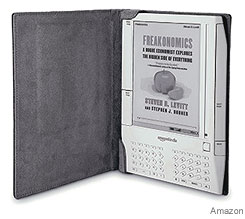
Sure, this one could just be one sloppy typo, but the fact that Amazon has been using Google ads quite extensively to advertise for its beloved Kindle device gives us cause to hope. According to the ad, the Kindle will drop to $369.

Since there's no sign yet of a price drop on the Kindle product page, we'll have to wait a bit longer to figure out the legitimacy of it. -- Let's start betting on sales boost figures if Amazon does indeed cut the price!

[ 8 replies ]


live view Latest Forum Activity
Thread / Thread Starter Last Post
Forum: Sigil
Today 07:12 PM
by KevinH (#133) Go to first new post
Forum: Kobo Reader
Today 06:36 PM
by Mau11 (#61) Go to first new post
Today 06:32 PM
by Solitaire1 (#4446) Go to first new post
Forum: Lounge
Today 06:21 PM
by poohbear_nc (#158977) Go to first new post
Today 05:56 PM
by tubemonkey (#11544) Go to first new post
Forum: Lounge
Today 05:27 PM
by nana77 (#10877) Go to first new post
Unutterably Silly Guilt by association (ahammer)
Forum: Lounge
Today 05:18 PM
by nana77 (#13088) Go to first new post
Forum: Amazon Kindle
Today 05:09 PM
by axu2 (#42) Go to first new post
Forum: Kobo Reader
Today 05:07 PM
by JSWolf (#21) Go to first new post
Unutterably Silly Terrible Jokes (ownedbycats)
Forum: Lounge
Today 04:42 PM
by DNSB (#851) Go to first new post
Today 04:41 PM
by fraktal-sb (#6453) Go to first new post
Forum: ePub
Today 04:31 PM
by JSWolf (#29) Go to first new post
Today 04:06 PM
by DNSB (#1) Go to first new post
Forum: Onyx Boox
Today 04:03 PM
by reminon (#1) Go to first new post
Today 04:01 PM
by salty-horse (#10000) Go to first new post
Forum: Plugins
Today 03:34 PM
by BetterRed (#20) Go to first new post
Today 03:31 PM
by ottischwenk (#0) Go to first new post
Forum: Calibre
Today 03:23 PM
by ownedbycats (#5) Go to first new post
Forum: Flea Market
Today 03:19 PM
by vermontcathy (#0) Go to first new post
Forum: Plugins
Today 02:16 PM
by JSWolf (#14) Go to first new post
Forum: Calibre
Today 02:13 PM
by tomsem (#37) Go to first new post
Forum: Plugins
Today 02:10 PM
by JSWolf (#1173) Go to first new post
Forum: Plugins
Today 02:07 PM
by JSWolf (#224) Go to first new post
Forum: KOReader
Today 02:05 PM
by Sirozha1337 (#3) Go to first new post
Forum: Lounge
Today 01:40 PM
by DNSB (#44349) Go to first new post


All times are GMT -4. The time now is 07:15 PM.
MobileRead.com is a privately owned, operated and funded community.