Register Guidelines E-Books Today's Posts Search


Fri June 26 2009

TeleRead joins this Saturday's Meetup in Northern Virginia!

02:07 PM by Alexander Turcic in Miscellaneous | Announcements

Here is some great news for everyone planning to visit tomorrow's Reader meetup in Alexandria, Virginia. I just talked with David of TeleRead, who happens to live very close to where the meetup is going to take place, and we decided to make this a joint MobileRead-TeleRead get-together! So, all e-book fans out there, unite and join the feast!

Also for the meetup, David generously offers a paper copy of his book The Solomon Scandals. We are thinking about some kind of random drawing - details will follow.

Link with all details: 27 June 2009 NOVA Meet-up (Northern Virginia)

[ 18 replies ]


Thu June 25 2009

Reminder: Northern Virginia Meet-up This Saturday (June 27, 2009)

01:39 PM by RWood in Miscellaneous | Announcements

For those that may have missed it before and as a reminder to those already planning to attend, we will be meeting at 6 pm this Saturday at Mango Mike's in Alexandria, Virginia. Nate will be bringing part of his fantastic collection of reading devices and the food at Mango Mike's is great.

Cassidy has already PM those that said they "might" attend to get a reasonable head count so we have enough food for all (without waste.) If you can join us, please PM Cassidy or me if possible. If you are just in the area, please drop by and say, "Hello." There's always room for one more.

This meet-up will be starting about six hours after the Frankfurt meet-up starts so there will be some overlap. We plan to communicate with each other through Skype and the Members Chat area at the bottom of the main forum page. All are welcome to join us there.

More information is in this thread.

[ 3 replies ]


Wed June 24 2009

Reminder: MobileRead Frankfurt Meetup this Saturday

12:50 PM by Alexander Turcic in Miscellaneous | Announcements

Just a reminder that we're having an official MobileRead Reader Meetup in Frankfurt/Mainhattan THIS Saturday. If you're anywhere nearby you should definitely swing by. I promise to be on my best behavior, too.

We'll be meeting at the Zimt und Koriander restaurant for drinks and a delicious dinner.

For more details follow these link to the original meetup threads:

[ 14 replies ]


Tue June 23 2009

Reminder: E-Book Reader giveaway ends Friday!

06:33 PM by Alexander Turcic in Miscellaneous | Announcements

Just a reminder to all you fine folks out on the Interverse - our current giveaway ends this Friday, June 26th 2009, at 11:59 PM EDT. Meaning: there is still time for you to win a brand new e-book reader of your choice!

For all details and to enter the drawing see link below. Good luck!

Link: MobileRead kicks off this Summer with a Giveaway!

[ 77 replies ]


Sat June 20 2009

MobileRead Week in Review: 06/13 - 06/20

07:00 AM by Alexander Turcic in Miscellaneous | Week in Review

Another week, another steady stream of e-book goodness here on MobileRead. Our authentic roundup of what's been going on:

E-Book General - News and Commentary

Portable Devices - Other Devices


Sat June 13 2009

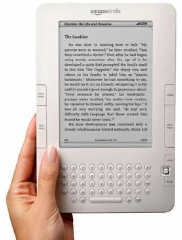
The Kindle DX - A Review a Few Days In

10:25 PM by Gideon in E-Book General | News

After a few days

Well, I've spent a few days with the Kindle DX now and feel like I've given it a good run through. Since I've had a Kindle since the first one, I'm familiar with the tech so I can give this a bit of a better shake than we've been seeing on most tech blogs, etc.

On Reading:

This is, after all, its primary purpose. It does this very well. The screen is clear, the text is very readable. I was a bit worried about reading on a bigger screen but it is actually a better experience than the earlier Kindles.
Books:
Books work the same way as previous Kindles and most ebooks. It does a great job.
Periodicals:
Despite the new, bigger screen, we're still getting the old Kindle media screen - we're not seeing the actual cover of the NY Times or anything else like that. It works the same way, but bigger.
PDFs:
It gets a bit dodgy here. For the most part, it does a great job. 90% of what I threw at it, it handled admirably. It cuts off the white edges pretty well (fails at this sometimes in landscape mode), and as long as the text you're looking at isn't too small you're generally in good shape.
There are some drawbacks:

  • No table of contents. This is an enormous, enormous pain in the butt. I don't have the foggiest idea why the Kindle does not have this very rudimentary and necessary feature for PDF viewing.
  • It can be slow. Not always, but often it is.
  • Metadata is... who knows? Sometimes it is right, sometimes it is wrong. Mostly it's some variation of wrong.
  • Dictionary support doesn't seem to work in PDF texts - again - stupid and a problem. You also can't highlight, annotate, etc.

Ergonomics:

It is lighter than I thought it'd be and not at all difficult to manage from that standpoint. The leather case does add some weight, but this is offset by also adding some protection.

I really, really dislike the absence of buttons on the left side and would strongly advocate for buttons on the top and maybe even bottom. There is no good way to handle the device in landscape mode. It is an intensely unpleasant way to read.

The keyboard is... well, quite frankly, it is the single worst keyboard I've ever used on a device and this includes the abomination that was my Treo 600. The buttons are incredibly small, and because of the size of the device, actually using them is very difficult (as you are trying to hold the device and push buttons on the very edge of it). It is also spaced badly, so that you can't really use your thumbs and have to hen-peck the keys. This has, single handedly, pretty much removed any usefulness involving annotation. I also don't want to have to search (which combined with the lack of table of contents in PDFs this is even worse!)

Extras:
I never use the music function, so I can't speak to that.

The voice function is a bit... I found that the controls were often not very fast and usually somewhat unresponsive. Once it gets going it is what you'd expect.

Websites look much better than they did on the K2, and it seems to load a BIT faster but generally it is still so slow that you'd not want to do much with it except look up the occasional thing.

Conclusion:
I really like the device as a whole but some of the design was very bad. If I really didn't need a PDF viewer (and didn't hate reading on an LCD) I would probably return it and wait it out for a better product.

[ 141 replies ]


SmartQ 7 Full Review (Warning - many pictures)

06:53 PM by ColdSun in E-Book Readers | Alternative Devices

Dedicated to Chippy from UMPCPortal.com and Nate the Great from MobileRead.com – without their contributions this review would not have been possible.

Review updated with smaller images - click image for fullsize view

SmartQ 7 with custom desktop background - click for fullsize

Introduction

I received my SmartQ 7 Mobile Internet Tablet a few days ago. Since that time, I’ve been playing with different features of the stock operating system and using it as an eBook reader. This review is designed as an introduction to the device for people who might want to use it as an eBook reader or internet tablet. For those of you that want to read the story that led me to purchase this device and learn the company I purchased it from, click here. This device will not replace your laptop or UMPC. If you are familiar with the Nokia N770/800/810 Internet Tablets, then you have a very good idea what this device can do. It is definitely faster than the Nokia tablets, but the operating system is not as good as Maemo (Linux-based OS included with Nokia tablets). We will talk more about the OS and improving it later in this review, but let’s take a closer look at this unit’s specifications.

Specifications:

Processor: Samsung ARM S3C6410 Processor 667MHz
Screen size: 7-inch Touch-lens screen,800 X480 pixels
Memory: 128MB DDR RAM
Storage: 1GB Flash Memory
Operating System: Ubuntu Linux
Language: Chinese/English/German/French/Portuguese
Memory card slot supporting up to 32GB SD memory cards
Wireless: supports WiFi 802.11b/g, Bluetooth
Connectivity: 2.0 USB HOST x 2 (USB x 1 & miniUSB x1) supported to connect the high-speed EDGE, HSDPA network adapter or mobile phone
Dimensions: 200 x 120 x 24mm
Weight: 480g
Battery: 4500mAH
Warranty: One year
Manufactured by a Chinese company called “SmartDevices” (http://www.smartdevices.com.cn)

For eBook reading fans and Internet Tablet aficionados, there is the 7-inch touch-screen supporting 800x480 resolution. For those of us who want an LCD device for backlit reading, this screen offers a size comparable to an eBookwise-1150 with about the same width and a little more height. Interestingly enough, the device is lighter than an eBookwise-1150 and very easy to hold. It has the same amount of RAM as the latest Nokia N810 Tablet (128MB DDR) but has quite a bit more available flash memory (1GB instead of the 810’s 256MB). The battery included in this device is quite good, with a 4500mAH, it is supposed to last for 24 hours of continuous music play (with the screen off). I haven’t completely tested battery life, and will discuss it later in the review, but let’s just say I’m very happy. It certainly isn’t e-Ink, but for an LCD device it lasts a very long time. One final thing I want to note is that the Bluetooth isn’t built into the device, and requires the use of the dongle (pictured) which plugs into the unit’s standard USB port.

The 7” Screen

SmartQ 7 with a Nokia N770

SmartQ 7 with an iPod Touch 16GB

I’m sure many of you are interested in the quality of the screen as well as comparisons to other devices. In my opinion, this screen size is perfect for those who want a paperback-size LCD reading device. The quality is about the same as the Nokia N770/800/810 tablets. It is not transreflective, and isn’t designed to be used in direct sunlight. If you are looking for a device to use in very good lighting situations (outside), this might not be the one for you. If you read indoors or with very low to no light, well this is just great! I have posted screenshots to compare it to some other devices I own.

SmartQ 7 with Nokia N770 and iPod Touch Screen On

Battery Life

When I received the device it was charged to about 80% capacity. I charged it to full before I used it and used it for 8 hours straight while reading ebooks and surfing the internet and I still had 25% battery life left. In comparison, if I listened to music or surfed the web on my Nokia N770 I would survive for perhaps 5 hours at best, likely less than that. I could definitely spend time to get more accurate results for battery life, but I wanted to get the rest of this information to you folks. I will say that the battery indicator for the default OS is really not very good. It seems to indicate battery life in 25% slices (0, 25, 50, 75, and 100%). Hopefully, this will be improved in an updated release of the OS. There is no easy access for replacing the battery, unless you take the device completely apart. This could be a negative for some folks, and hopefully can be improved in a future model.

The Default Operating System

One of the nice things about this device is that the included OS is a version of Ubuntu Linux. What that really means is this device is very hackable, much like the Nokia tablets. Currently, the Mer team (a version of Linux based on the popular Maemo OS for Nokia tablets) is working on a version that will work on this device. This could mean access to most Maemo applications and better support for the hardware itself, such as better video and audio performance. Also, SmartDevices has announced they will make a version of WinCE 6.0 available for users of this device at a later date. This really gives eBook reading users an advantage, as there are some applications for WinCE that will allow DRM-ed ebooks to be viewed on the device. More on using the device as an eBook reader in a moment, but let me cover some basic information about the OS.

SmartQ 7 Default OS Information So Far:

English translation is not 100% complete – many areas of the user interface are still in Chinese. I have the most problem setting date and time. (Update: New firmware 3.0 supports far more English than the shipped version does – see upgrading firmware)

Default font isn’t very nice, but device ships with others that are better and it can be changed
Single-tap launches applications and features (not double-tap as some devices)
Battery Indicator isn’t very good
Novice Linux users may have problems setting up certain features (wireless)
Some bugs exist – example: changing the default font and font size causes a couple application icons to disappear
Launching applications can be slightly delayed (touch sensitivity?)
Web-browsing faster than on Nokia tablets
New 3.0 Firmware has many improvements

SmartQ 7 SD Slot

There is a thin plastic stand built into the back of the device that I have found useful many times. Users should use caution when this stand is out, as it could be very easy to snap this plastic by accident (perhaps dropping something on the device when it is in stand-mode). The device has a standard-sized SD slot on the bottom with a rubber flap that covers it. This flap seems to stay in place, but it doesn’t fit perfectly. Still, it hasn’t given me many problems. Inserting the SD card can be tricky, as it clicks in a little deeper than the tip of your finger can push it. It might be good to use the dull end of the stylus to make sure your SD card clicks into its slot correctly if you are having trouble with just your finger.

The Reset Button is your friend!

Another item I would like to mention is the stylus. It feels cheap and seems a little sharp on the pointy-end. I would recommend picking up a different stylus or using your finger instead. All the other ports on the device work fine for me. It acts as a USB Host and I’ve connected USB drives to the unit and they have worked quite well.

Buttons on the face of the device

Ports on the device

Buttons on the top of the device

The Device as an eBook Reader

Well obviously, many of you want to know how good it works as an eBook reader. I can safely say this device is fantastic as en eBook reader of non-DRM’ed eBooks. That is not to say it won’t be fantastic for DRM’ed books – it appears we will have Mobipocket support in the near future with the introduction of a legal version of WinCE that will work on the device. I’m currently testing using a remote desktop application to use desktop reading software to read DRM’ed books and will keep everyone updated in a different thread.

SmartQ 7 Custom FBReader Settings

SmartQ 7 with a paperback book

The eBook reading software included with this device is FBreader version 0.8.17 (if you are using firmware 3.0). It supports many good formats (HTM, EPUB, TXT, RTF, Fb2, non-DRM Mobipocket, others) and the screen can support many customizations. As you can see from my screenshots, I changed the background to black and the text to white. This gives off less light for me when I read in bed so as not to disturb my wife. I’ve also rotated the screen (in the screenshot it is rotated clockwise), and as you can see the buttons are comfortably located along the bottom. Going full screen is as easy as pressing the function button (button on the face with the picture of a document on it and separated from the +/- buttons). Going back and forward is as simple as clicking the + (plus) or – (minus) button on the face of the device.

For the price point, this device very well could be the best deal in LCD devices. Because of its multi-function abilities, it can clearly stand before devices with a single function to read books. It also has a very good battery life for LCD. It will be interesting to see how the SmartQ 7 e-Reading functionality grows as software and user support grows.

Viewing/Reading PDF Format Files

SmartQ 7 PDF Viewer 1

As demonstrated in my comic application thread, you can read comics very nicely on this device, so that should give you an indication of how PDF files look. The Evince PDF Viewer application seems to display PDF files quite nicely, but there is also room for improvement. I’ve included two screenshots of reading a PDF eBook on this device in landscape mode. You can definitely rotate PDF files into portrait view, but I found that eBook pages didn’t fit as well and were a little harder to read (a page of full text). I’m definitely going to watch for improvements in PDF handling on this device and will keep forum members updated as I find new information.

SmartQ 7 PDF Viewer 2

Browsing the Internet

The SmartQ 7 ships with the Midori browser installed. I’m quite surprised at the speed at which it loads pages, it is clearly faster than either my iPod Touch or my Nokia N770. There is no flash support at this time, but otherwise it seems to render pages quite well. For an armchair browser, it should function quite nicely. We can also expect even better performance when Mer is released and we can use Tear for browsing. I hear there is even a method to get flash working, although the method should only be used by advanced Linux users at this time. Considering most of us at Mobileread will use the device for reading comics, documents and eBooks, the internet features are a real plus, even if they aren’t as powerful as your laptop or UMPC would be.

How Does The Audio Sound?

The newer 3.0 firmware includes Sonata as the audio player. It is clearly an improvement over the previous player (Audacious). It supports tags, album art and playlists quite well (as demonstrated in the screenshots). There is definitely work that needs to be done on the driver or codec for this firmware though. I find that when I try to increase the volume, there is a large jump from one setting to the next, resulting in either a bit loud or just a little soft for my tastes. You can read eBooks and listen to music quite nicely with the device and when the improvements are made to the drivers it should really sound fantastic.

SmartQ 7 Audio 1

SmartQ 7 Audio 2

Video Support

I must say that this is sadly where the performance of this device is lacking the most. The funny thing is, it isn’t the hardware that is causing the problems, its just that the OS isn’t nearly as optimized as it could be to play video. The hardware is quite capable of 800x480 fullscreen with 30fps. I’m quite sure this will be improved with newer firmware, WinCE, and for sure with Mer. Right now, it looks to be running at less than 20fps for a standard DivX AVI file. This won’t be replacing your PMP until they optimize it. Even then, there are many devices far better at playing video (and audio for that matter) than this one.

SmartQ 7 Video Example

“My Son, ask for thyself another kingdom for that which I leave is too small for thee.” - King Phillip to Alexander the Great. Also known as “Memory Expansion”

The flash memory included is only 1GB for storage. The device supports up to 32GB SDHC cards using the standard SD slot. It seems to read all SDHC cards just fine, but there seems to be problems with the OS and installing new software (as mentioned in another post located here) with some SDHC brands. My advice is to have a standard 1-2GB SD card (my Sandisk is working perfectly) to run firmware updates. Also, some folks have indicted 16GB cards have the problems less frequently than their larger brothers.

Mer - Linux OS

Another great aspect of this device is the fact that SmartDevices (the unit’s creator) is working closely with the Mer team. Source hardware and software information has been given to the team to help release a very nice version of Mer more quickly. I’ve chatted with stskeeps, lead developer of the Mer project, and he has indicated that things are coming along quite nicely. I’ve also loaded version 0.14 of the Mer OS – and I’m quite the opposite of a Linux expert. What I saw was a snappy quick, well-built OS that screamed to be used on this device. The wireless setup was so nice, and the OS loaded very fast on my device. I’ll be helping the Mer team do more tests on the device over time and will keep everyone updated.
What is Mer? Check it out for yourself, by clicking here.


Conclusion

Thank you very much for reading through this review. I hope that I did my part to help build our new SmartQ community here at Mobileread. My opinion so far is that the device is a very good buy and will surprise many of you at how good of a reader it is. Multifunction devices are becoming more and more popular. Manufacturers are also starting to realize not all of us want to carry around 3” screen-sized devices to read or listen to music on. There is a market for this device, and that market is growing. Smartdevices can really make an impact on this market with the SmartQ 7. In my opinion, they should release the device with the user’s choice of OS already installed (Linux or WinCE). They should improve the stylus and button quality a bit and sell a case for holding the device. They should work hard at improving audio and video performance. Most of all, they should continue to make innovative devices in this form factor for people who want to read, listen to music, surf the web, and watch movies.

Kiba has stolen the SmartQ 7

Regards,
ColdSun

[ 125 replies ]


MobileRead Week in Review: 06/06 - 06/13

07:01 AM by Alexander Turcic in Miscellaneous | Week in Review

Been away? Fear not! Here is your chance to check out what appeared on our frontpage this week:

E-Book General - News and Commentary

Miscellaneous - Announcements


live view Latest Forum Activity
Thread / Thread Starter Last Post
Today 08:53 PM
by ereaderlover123 (#171) Go to first new post
Forum: Plugins
Today 08:33 PM
by jhowell (#1168) Go to first new post
Unutterably Silly Question Everything? (Donnageddon)
Forum: Lounge
Today 08:21 PM
by Solitaire1 (#17281) Go to first new post
Unutterably Silly Guilt by association (ahammer)
Forum: Lounge
Today 08:20 PM
by issybird (#12960) Go to first new post
Forum: Viewer
Today 08:19 PM
by Comfy.n (#7) Go to first new post
Forum: Lounge
Today 08:19 PM
by Solitaire1 (#158555) Go to first new post
Forum: Kobo Reader
Today 07:50 PM
by xenobi (#2) Go to first new post
Today 07:41 PM
by Karellen (#10) Go to first new post
Unutterably Silly Change One Word (Nyssa)
Forum: Lounge
Today 07:17 PM
by DNSB (#60771) Go to first new post
Forum: Lounge
Today 07:15 PM
by DNSB (#18395) Go to first new post
Forum: Lounge
Today 07:12 PM
by DNSB (#36788) Go to first new post
Forum: Lounge
Today 07:12 PM
by DNSB (#25404) Go to first new post
Forum: Lounge
Today 07:11 PM
by DNSB (#10833) Go to first new post
Forum: Amazon Kindle
Today 06:53 PM
by axu2 (#1724) Go to first new post
Forum: Feedback
Today 06:50 PM
by DNSB (#2766) Go to first new post
Forum: Amazon Kindle
Today 06:44 PM
by DNSB (#337) Go to first new post
Forum: Calibre
Today 06:07 PM
by Lavender (#0) Go to first new post
Forum: Marvin
Today 05:58 PM
by JSWolf (#67) Go to first new post
Forum: News
Today 05:44 PM
by Lavender (#50) Go to first new post
Forum: Plugins
Today 05:29 PM
by steltek (#11745) Go to first new post
Today 05:08 PM
by Sirtel (#1) Go to first new post
Today 05:01 PM
by Rafasirius (#6161) Go to first new post
Forum: Editor
Today 04:51 PM
by JSWolf (#29) Go to first new post
Forum: Calibre
Today 04:40 PM
by HogDrvr (#0) Go to first new post
Today 04:38 PM
by JSWolf (#7) Go to first new post


All times are GMT -4. The time now is 09:00 PM.
MobileRead.com is a privately owned, operated and funded community.