


Sat November 21 2009
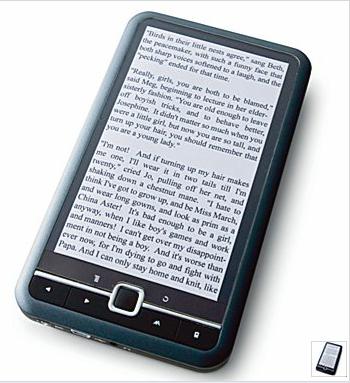
 New ebook reader -Simplicit.E.reader New ebook reader -Simplicit.E.reader
|
|
07:03 PM by Nate the great in E-Book General | News
We don't have much detail yet because so far as I can tell this device hasn't been announced yet. I found the company's website, but it's not up yet. I found it in the Google cache. This is the detail we have so far:
and it's showing a sale price of $129.99. If that price is for real then I might get one. P.S. I'm attaching the JCPenney product page just in case it's taken down. Update: Second Update: I just heard back from Books on Board. Yes, that is their coupon. They were a little puzzled about why the product page was up. The last they had heard was that the device wasn't ready yet.The release had been pushed back until Spring. |
|
[ 51 replies ] |
 One of MR's more observant members
 |
MobileRead Week in Review: 11/14 - 11/21
|
|
06:00 AM by Alexander Turcic in Miscellaneous | Week in Review Feast your eyes on some of the discussions from this week at MobileRead... E-Book General - News and Commentary
E-Book General - Deals, Freebies, and Resources E-Book Software - Calibre E-Book Devices - Sony Portable Reader PRS-500/505 E-Book Devices - Amazon Kindle |
|
Bookeen releases new model of CyBook: CyBook Gold
|
|
04:22 AM by HarryT in E-Book General | News
The new model, the CyBook Gold, has 1GB storage space (up from 512MB on the previous model), an 8 greyscale eInk screen (previous models supported only 4), and supports ePub and PDF with Adobe ADE. The package includes the CyBook itself, a black cover, earphones, a USB cable, and a European AC adaptor (which will not be supplied to US customers). The package is priced at US$349; there appears to be no mention of this device as yet on Bookeen's site. For more information, please see the BooksOnBoard site here. |
|
[ 61 replies ] |
 Our good friend Kurt, from BooksOnBoard, informs us that Bookeen appear to have snuck out a new model of the CyBook, apparently without telling anybody!
Thu November 19 2009
|
University of Chicago Announces free Monthly ebook
|
|
06:51 PM by arshield in E-Book General | Deals and Resources (No... The first book in the program is below. epub format Link http://www.press.uchicago.edu/ebooks/free_ebook.html The Birthday Book |
|
[ 44 replies ] |
Wed November 18 2009
|
[Old Thread] Calibre + Dropbox = unclouded happiness
|
|
10:26 AM by dpierron in Calibre | Related Tools NEW The tool is now called calibre2opds and it has its own website, and thread here on MobileRead... NEW I programmed a tool based on Calibre2Web that can be used on all platforms (Windows, Macs and Unixes) to generate the Stanza catalogs. It is hosted on Sourceforge and I intend on updating it often, so please join the project and make requests ! -------------------------------------------
I'm pretty sure a lot of people here know Dropbox, the (free at first) file sharing and synchronization service... I use it to sync the files on my two Macs, and my work PC ; it's a very easy to use and efficient service. Recently, I began syncing my Calibre library, so the books I edit/add/remove on either machine would be available on all the others ; Calibre is a multi-platform marvel, so this syncing makes a lot of sense. And I thought of something : if I generate the stanza.xml file from the Calibre database (using the calibre-db command), maybe it could be automatically accessible from my iPhone, now that the whole Calibre library is synchronized and available on my Dropbox account ? Guess what ? It works ! Unfortunately, it's still a manual process, but I'm pretty sure it could be possible for our generous Kovid to change it into something automatic... Here are the steps needed to make this happen :
That's all ! Of course, if the stanza.xml file could be generated automatically with every modification of the database, it would be even better, but even now it's very convenient... Thanks again Kovid for Calibre, the Lexycle people for Stanza and Dropbox for being free... PS : if I made a mistake in my explanation, or if something was not clear enough, ask questions and I'll be happy to try and explain better... |
|
[ 143 replies ] |
Tue November 17 2009
|
eReader for Android just announced
|
|
05:46 PM by Nate the great in E-Book General | News I just got this email from Fictionwise:
Shiny. |
|
[ 29 replies ] |
|
Kindle finally released in Canada
|
|
03:58 PM by FligMupple in E-Book Readers | Amazon Kindle A friend just sent me this link: |
|
[ 17 replies ] |
Sun November 15 2009
|
PRS-500 owners: Will you take advantage of Sony's upgrade/trade-up offer?
|
|
11:51 AM by Bob Russell in E-Book Readers | Sony Reader
What will you do? (Please participate in the poll, and share your thoughts in the thread.) So now the reality sets in - I don't want to part with my PRS-500, even if I buy another device and the 500 goes into storage in "museum mode"! Am I willing to part with it for a "measly" $75??? And am I willing to part with the custom navigation hacks just to get e-pub support? Do I want to upgrade - the new devices are a significant upgrade in usability. Or, heaven forbid, after such a nice offer do I want to consider a Daily Reader or even a non-Sony device like the Daily new Plastic Logic large screen device? These are some serious questions! Can't wait to hear what others are going to do. Share your thoughts! |
|
[ 108 replies - poll! ] |
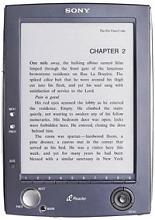 Sony has made PRS-500 owners a great offer (
 Week's Hot Topics
 Latest Polls
 Latest E-Books


 Latest Forum Activity
