Register Guidelines E-Books Today's Posts Search


Thu April 26 2007

Proposed iLiad Packaging/Installation Standard

01:12 PM by Adam B. in iRex | iRex Developer's Corner

This is taken from the ideas here: https://www.mobileread.com/forums/showthread.php?t=10442

Please vote in the poll whether you think this is an acceptable solution or not. If you do not believe so, state your reason in the comments. If you have any additions, please post those as well.

After it is agreed on, I can setup instructions and a dummy package/scripts/etc to aid in packaging.

  • Ipkg should be used as a package management system to track dependencies and libraries.
  • We should have a preinstall script check for and create the following symbolic links.


/usr/local (real directory)
/usr/local/lib -> /media/*/_local/lib
/usr/local/bin -> /media/*/_local/bin
/usr/local/etc -> /media/*/_local/etc
/usr/local/var -> /media/*/_local/var
/usr/local/share -> /media/*/_local/share
/usr/local/include -> /media/*/_local/include
/usr/local/home -> /media/*/_local/home
/usr/local/programs -> /media/*/Programs

  • After the program is installed /usr/local/programs should contain a folder with a launcher script, manifest, and icon.
  • For removing an application, we can create a simple script that will execute ipkg remove applicationame. We can put this script along with a manifest and icon in /usr/local/programs/Uninstall. From there, the user can simply navigate to that folder if they want to uninstall an appliation. They can select it, have a confirmation box pop up that says "Are you sure you want to remove $program?" that they will have to select, and the ipkg command will run.
  • We should rename ipkg files to .iliad. This will avoid confusion and allow us to eventually put an entry in er_registry.txt.
  • The launching script should set $HOME to /usr/local/home. This way program specific settings are stored on the memory card. The ipkg should also define these settings so they are not overwritten when reinstalling.

Does anyone have any problems or disagreements with this? I think it solves almost every issue we would run into. The only problem I see is if a user swaps around memory cards of the same type.... but in that case, they should know that they have to reinstall all the applications.

[ 48 replies - poll! ]


LRF output

12:20 PM by kovidgoyal in E-Book Software | Calibre

I'm happy to announce html2lrf, an open source, cross-platform HTML to LRF converter that I believe is the most feature-complete converter available. It's distributed as part of libprs500 and will eventually be integrated into its GUI. I've attached an LRF file to show off some of its capabilities.

It has support for CSS, recursive links, inline images, lists, tables, dropcaps and embedded fonts.

If you have an HTML file it chokes on, I want to know about it!

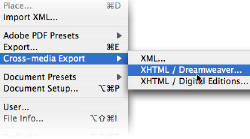
For all you content creators, this presents an alternative content creation path. Just open the source file in you favorite office suite, save it as HTML and run it through html2lrf.

Get it and the rest of libprs500 from https://libprs500.kovidgoyal.net. After installation a command html2lrf will be available. It's self documenting, i.e. just run it to get a list of options. Basic usage is as simple as


html2lrf myfile.html

I should thank Falstaff for pylrs and esperanc for the initial CSS conversion code.

[ 873 replies ]


Crackberries for the Nations

11:54 AM by NatCh in Archive | Handhelds and Smartphones

The 8830 smart phone will provide connections via voice and data in 60 countries

Unsatisfied with getting only Americans hooked on Blackberry, RIM and Verizon have teamed up to launch a new device that will provide the oh so addictive Blackberry functionality and connectivity throughout much more of the world.

In addition to accessing the Blackberry Internet service and Blackberry Enterprise Server, the new 8830 is designed to move between the EVDO and GSM/GPRS networks without so much as a bounce.

Starting May 14th, Verizon business customers (the 28th for those who just walk into a Verizon store) will be able to plunk down their $400 - 1˘ to pick one of these bad-boys up. There's a $100 rebate planned (for a locked device, I gather) and another $100 if you buy a data plan for those who don't already have enough access to MobileRead.com, and really feel they must also have it on their phones, I suppose. Follow the link at the bottom if you want more pricing info.

Now for the good stuff, some details on the hardware:

At 14 mm thick, the 8830 features a new trackball navigation system, a media player, expandable memory, Bluetooth capability and an instant messaging tool...

Okay, so not much on the details are they?

Apparently, Verizon is hoping this product will help them against AT&T and T-Mobile who have been moving more to GSM phones, which already work in most of the rest of the world.


Full article

[ 1 reply ]


Let's face it: DRM didn't help anyone

08:55 AM by Alexander Turcic in E-Book General | News

Publishers want to know that copyright in the works they publish will be protected. For years it has been their strong belief that without sufficient technical and legal protections, digital copies of works are subject to unauthorized copying on a mass scale.

The status quo?

Today we have a plethora of non-interoperable e-book file formats (Adobe, Sony, Microsoft, Mobipocket and eReader, just to name a few), further "enhanced" by proprietary DRM systems. All attempts so far to introduce industry standards have failed. Honest users are being punished for buying e-books they cannot freely use on all e-book devices and/or sell to another person. At the same time, there are striving sophisticated underground communities who offer all the e-books you can think of - bootleg copies, free, without DRM, and of course unauthorized. The fact that people are doing this, are able to doing this despite all DRM efforts by the publishers, really does indicate that the latter has failed to prevent piracy, and that there's a whole lot of demand for e-books.

In the words of Wired blog editor Rob Beschizza (link via TeleRead):

With the masters of digital music finally relenting and offering DRM-free tracks, it's time to kill e-book rights management once and for all: give us we want, in the file format we want, and you get our money. Once.

Related: DRM, or not DRM: that is the question (poll)

[ 20 replies ]


Wed April 25 2007

Sony Reader hack: clock in status bar

04:22 PM by vvv in E-Book Readers | Sony Reader

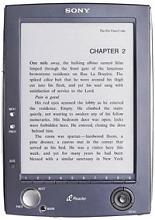
User Shade from the-ebook.org has found a way to put a clock in the status bar of the Sony Reader. More (in Russian) can be found here:

http://www.the-ebook.org/forum/viewtopic.php?t=6448

Check out the replies in this thread for English instruction.

[ 20 replies ]


iLiad Firmware with long-awaited Mobipocket Reader (almost)

11:45 AM by Alexander Turcic in More E-Book Readers | iRex

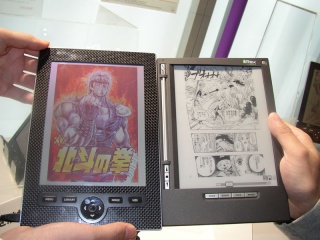
Thanks to our member VillageReader who was the first to report that iRex has released a long-awaited firmware upgrade for the iLiad e-reader. Upgrade 2.9.5 includes the following new features and bug fixes (update: just received word from Matthijs that the Mobipocket Viewer is not yet included, but will be very shortly after this release (rumored as early as next week)):

  • Mobipocket Viewer: This viewer will give the ability to read books and documents protected with the popular DRM format as well as offline RSS feeds. More details will follow.
  • Full GPL Compliance of the software running on your iLiad: The Linux kernel is now 100% identical to what we’ve published online.
  • System prepared for Recovery function: A way for the end-user to go back to the iRex-supplied working software version using a CF card. The actual recovery software is sent as a separate software update.
  • Bug fix for a minor bug in the WiFi drive has been resolved which should make software upgrades seamless from the next releases onwards; specific with automatic restarting and reconnecting to iDS using WiFi.

Unlike previous upgrades, this one will actually destroy all the data on your reader. Therefore you must make sure to backup all your documents beforehand through the iLiad Companion Software (do not use the Companion software, it does not work with this update as intended. Instead connect your iLiad via USB to copy all files and folders from the iLiad to your computer).

update 2: apparently the upgrader is not 100% foolproof with custom registry files (er_registry.txt). For more check out Scotty's comments in this thread.

[ 61 replies ]


PDFRead 1.7 released

08:02 AM by ashkulz in E-Book Formats | PDF

UPDATE: PDFRead 1.7 has been released. The changes for 1.7 and batch conversion instructions are mentioned first, then followed by the inital release announcement for 1.6.

I've released PDFRead 1.7, which has minor bug fixes and enhancements. Changes in this release:

  • add a "landscape-half" mode which splits a page into two even halves (gdxf's suggestion)
  • if the output document does not have the proper file extension, then append it automatically.
  • remove imagemagick and use pngnq for color reduction.
  • fix the problems if the PDF has an incorrect TOC referring to an invalid page. Also added option --no-toc to disable TOC generation.

Also, batch conversion can now be done on Windows for all PDFs in a folder.

  1. Download the file attached to linked post and rename it as pdfread-batch.bat
  2. Open up the renamed file, and change the set OPT= line to use the appropriate profile. In case you have installed in a non-default location, change the set LOC= line too.
  3. Copy the batch file into a directory where you want to convert, and double click on it. Please do not put the directory anywhere on the Desktop or My Documents, it can cause some problems. Put it somewhere in the root of your drive ( C:, D: )
  4. The filename will be used as the book title, so be sure to name files properly. Please ensure that the filename does not contain special characters not present in UTF-8. A ebook with be created with the same name (but with given extension ie. sample.pdf => sample.lrf).

In case you want to customize further:

  1. Do a normal conversion with your custom params for a single file and copy the command line options to a text file. Some advice on how to copy the options from the window:

    To copy text from a CMD window, right-click on the title bar (the bar that has the X and minimize buttons), choose properities, and then enable QuickEdit mode. This lets you highlight text and copy it by right-clicking on it. Copy everything, even if you have to scroll up.

  2. Copy the command line parameters and replace the set OPT= mentioned above. Do NOT include the input filename, the title (-t option) or the call to pdfread, just the options. The value should be valid command line options.

People on OS X/Linux can hack together a similiar script very easily, so I won't bother to post it. If you do want such a script, let me know.


Original announcement follows


After a long wait, PDFRead 1.6 has been released. You can download from PDFRead @ SourceForge.

The focus on this release has been to rewrite the code for better maintainability. It can now be easily integrated into other tools. PDFRead now has a plugin based architecture, which will allow new features to be added easily -- which I've already done for this release.

Lots of new image processing options have been added to PDFRead. unpaper integration ensures that bad scans will be cleaned up properly. The new cropping algorithm removes whitespace very agressively, even from the middle of the page without any loss of content. All images are now run through an edge-enhancement filter, which is the same one used by both rbmake and RasterFarian.

Support for the TIFF and IMGLIST input formats has been added. The IMGLIST format is a simple text file containing a list of images which are to be considered as a single document.

Batch support is not directly present for Windows, but can be achieved via a batch file. The command line used to convert each book (using the current settings) is printed before conversion. You can then copy this to tweak your conversion settings. Users of Linux/OS X are assumed to be familiar with the command-line, and the batch support can be achieved by scripting.

You can also specify a range of pages for conversion. This has the side-effect of giving a preview feature, as specifying the same page as the start and end page will run the processing only for that page.

The Windows GUI has been revamped: there are now tooltips everywhere, and there is no "advanced" page anymore. If you do want to control those parameters, please use the command line directly.

Lots of other minor tweaks have gone into this release.

The detailed changelog for this release:

  • revamped the Windows GUI: added tooltips, preview feature and show the command line options when executed (useful for batch execution).
  • add support for TIFF and a list of page images for input.
  • add unpaper support for image cleanup.
  • add extremely agressive whitespace detection, even in the middle of the page text.
  • added an edge-enhancement filter, similiar to rbmake and RasterFarian.
  • allow all processing stages to be selectively disabled.
  • allow a page range to be specified for conversion.
  • tweak the prs-500 profile to rotate right instead of left (thanks gdxf)
  • add an optional step to optimize generated PNG images via OptiPNG.
  • removed the dependency on xpdf.
  • removed the autocontrast and ghostscript cropping features (no longer useful).
  • fix problem where the IMP file was not created if the latest eBook Publisher was not installed.
  • complete overhaul of the code for better maintainability.

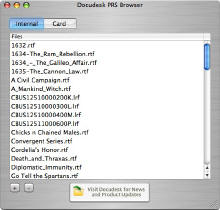
Some screenshots of the effect of the various image processing options are also attached.

[ 87 replies ]


Tue April 24 2007

Wiki server move - read-only mode

12:50 PM by Alexander Turcic in Miscellaneous | Announcements

Our Wiki gets a new home. While we're moving it to a new server, you will not be able to edit any Wiki content. Once the move is complete, it'll take another 12-36 hours for the new DNS to propagate across the Internet.

I'll keep you updated.

[ 1 reply ]


live view Latest Forum Activity
Thread / Thread Starter Last Post
Unutterably Silly Change One Word (Nyssa)
Forum: Lounge
Today 03:55 AM
by nana77 (#61041) Go to first new post
Forum: Lounge
Today 03:54 AM
by nana77 (#36958) Go to first new post
Today 03:47 AM
by theducks (#1) Go to first new post
Today 03:44 AM
by pdurrant (#8497) Go to first new post
Unutterably Silly Guilt by association (ahammer)
Forum: Lounge
Today 03:38 AM
by nana77 (#13101) Go to first new post
Forum: Plugins
Today 02:27 AM
by Jade Aislin (#11815) Go to first new post
Forum: Calibre
Today 01:42 AM
by Amalthia (#48) Go to first new post
Forum: Kobo Reader
Today 01:07 AM
by Apollyon202 (#43) Go to first new post
Forum: Plugins
Today 12:00 AM
by regina3264 (#884) Go to first new post
Forum: Calibre
Yesterday 11:19 PM
by kovidgoyal (#381) Go to first new post
Yesterday 10:34 PM
by DNSB (#1378) Go to first new post
Yesterday 10:29 PM
by Renate (#1) Go to first new post
Forum: Onyx Boox
Yesterday 10:27 PM
by Renate (#43) Go to first new post
Forum: Onyx Boox
Yesterday 10:22 PM
by Renate (#5) Go to first new post
Sticky Seriously thoughtful Light a Virtual Candle (Patricia)
Forum: Lounge
Yesterday 10:20 PM
by cromag (#2208) Go to first new post
Yesterday 10:20 PM
by DNSB (#43) Go to first new post
Forum: Lounge
Yesterday 10:09 PM
by DNSB (#159013) Go to first new post
Forum: Amazon Kindle
Yesterday 10:09 PM
by axu2 (#50) Go to first new post
Unutterably Silly Terrible Jokes (ownedbycats)
Forum: Lounge
Yesterday 10:07 PM
by DNSB (#852) Go to first new post
Yesterday 09:31 PM
by jhowell (#1) Go to first new post
Yesterday 09:16 PM
by Koboreadeuse (#6481) Go to first new post
Forum: Sigil
Yesterday 05:54 PM
by Vren (#10) Go to first new post
Forum: Sigil
Yesterday 05:21 PM
by BeckyEbook (#146) Go to first new post
Yesterday 05:08 PM
by sufue (#17739) Go to first new post
Yesterday 05:00 PM
by sufue (#10004) Go to first new post


All times are GMT -4. The time now is 04:26 AM.
MobileRead.com is a privately owned, operated and funded community.