


 04-02-2026, 10:41 AM
|
#1 |
|
Junior Member
 Posts: 9
Karma: 10
Join Date: Dec 2010
Location: France
Device: iPad mini, galaxy A5
|
1.9 suddenly skiping pages
I tried an earlier version a few weeks ago, and the page turning was fine. Downloaded the new version yesterday and gave up with it as it was skipping multiple pages (tried two different books) on page turn, not every one but often enough to be a pain. I had the bottom bar turned off as I kept catching that and ending up 1/2 way thru the book, which with the multiple clicks needed to make a bookmark is really annoying. I also that the slightest swipe down on a page caused the app to recheck the library, also very annoying.
For me, I need a one touch bookmark and a dedicated button in settings to update the library. perfection would be to be able turn off unwanted item on the bottom bar like stats and such like. Back to Kybooks for now but will look in again in a few weeks. I really like the sperate folder for storing books, and having the brightness on the page, the library layout also works for me and being able to have multiple on the go and a read next list, that's all good and I really want to use this app, it's just not quite there for me yet. |

|

|
|
04-02-2026, 11:17 AM
|
#2 |
|
Addict
 Posts: 362
Karma: 123456
Join Date: Dec 2025
Location: Czech Republic
Device: iphone, ipad
|
Hello turbotoes, thank you very much for the feedback, just to make a summary of those things you see problematic:
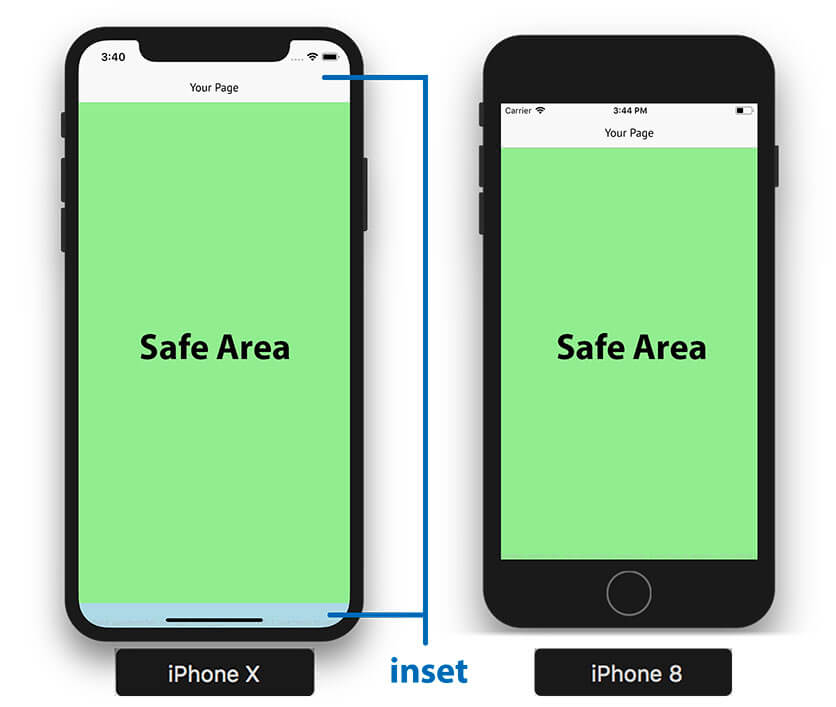
1. You are swiping forward and backward and it does not move swipe one page, but more? Is that correct? Or do you use single touch? Is it possible you have a device that does not have bottom insets? Because there is an option: when you are swiping at the total bottom, it has fast skipping through chapters. I want to be sure, I am getting this correctly. Or you mean you are touching the bottom bar and it is skipping through the book... which it is supposed to do, as this was what users want. Or do you mean something else? 2. Swipe down on a page, while reading, rechecks library? That is not possible, swipe down while reading closes the reading. But in Library, pull to refresh (swipe down) refreshes the library, for sure, but you have to be at the top of the list, just like in other apps. If you are anywhere else in the library, swiping moves the library up and down. 3. Dedicated button for bookmark, that can be done. 4. Turn off unwanted item on the bottom bar... you mean customize the bottom bar (show/hide percentage, show/hide pages, show hide pages left, etc ... that can be done) or something else? And thank you for those 'really like' things at the end :-) The app is still in development and will be until ideas/feedback/criticism pour down on me. So I love to hear any feedback, because it makes the app better. If it will be possible, please let me know about those points 1, 2 and 4. One-click bookmark... this I understand. |
|
|
|
| Advert | |
|
|
 |
«
Previous Thread
|
Next Thread
»
|
 Similar Threads
|
||||
| Thread | Thread Starter | Forum | Replies | Last Post |
| Pages field in Calibre 9 vs Count Pages plugin results | mikespub | Calibre | 8 | 02-04-2026 09:45 PM |
| Jutoh, how to batch set pages to spread left and right pages? | untracked | ePub | 19 | 01-20-2024 05:35 PM |
| Classic Split PDF pages into smaller pages (images into tiles) | Astro | Barnes & Noble NOOK | 4 | 06-12-2020 10:56 AM |
| PRS-T1 HTML to EPUB no word-wrap on some pages/missing pages of text | SonyPRST1Reader | Sony Reader | 4 | 01-28-2016 08:40 AM |
| Esensja recipie: skiping articles | domek | Recipes | 0 | 04-25-2011 04:46 PM |
All times are GMT -4. The time now is 04:43 PM.