


 07-31-2007, 09:15 PM
|
#1 |
|
Recovering Gadget Addict
  
Posts: 5,381
Karma: 676161
Join Date: May 2004
Location: Pittsburgh, PA
Device: iPad
|
New! Sony Reader firmware update #2 is available!
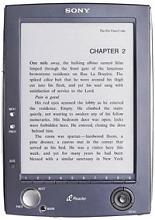 The wait is over for the next Sony firmware update for the PRS-500 Reader. The new version is available for download. The wait is over for the next Sony firmware update for the PRS-500 Reader. The new version is available for download.This update (dated 7/31/2007) will do the following: Improvements over system software version 1.0.02.01300 * Resolves an issue where, under certain conditions, the battery meter may not correctly indicate the proper charge level * Resolves an issue where the reader may not successfully return from sleep mode Improvements over the original system software * Longer Battery life during audio playback (NOTE: Actual battery life may vary based on usage pattern, product settings, battery and environmental conditions.) * Faster transfer speeds when using 4GB or larger Memory Stick® media * Improved handling of white bands on the audio playback screen * Addresses security vulnerabilities * Enhances system stability The key issues addressed are the battery charge indicator fix and system stability (although I'm not sure that we've really seen any instability issues... this device has been pretty rock solid for most of us). See the Sony download page for more instructions and details. The upgrade should take only a few minutes to complete. If it operates like the previous upgrade, you will probably be prompted for it when you dock your Reader with the desktop Connect software. |

|

|
|
07-31-2007, 09:46 PM
|
#2 |
|
Manic Do Fuse

Posts: 2,312
Karma: 3325462
Join Date: Oct 2006
Device: Sony 500, 505, 350, Kindle 3, DXG, nook, Irex DR800SG, iPad
|
Does anyone know if this update overwrite the changes that were made by using the universal flasher? I would not like to lose the ability to change the pages using the joystick.
|
|
|
|
| Advert | |
|
|
|
07-31-2007, 10:48 PM
|
#3 | |
|
Resident Curmudgeon

Posts: 81,263
Karma: 150263711
Join Date: Nov 2006
Location: Roslindale, Massachusetts
Device: Kobo Libra 2, Kobo Aura H2O, PRS-650, PRS-T1, nook STR, PW3
|
Quote:
|
|
|
|
|

|
07-31-2007, 11:22 PM
|
#4 |
|
Technogeezer

Posts: 7,233
Karma: 1601464
Join Date: Nov 2006
Location: Virginia, USA
Device: Sony PRS-500
|
For the rest of us that did not use the joystick mod, it does not seem to harm anything and it is too early to report about the battery meter fix.
|
|
|
|
|
08-01-2007, 12:20 AM
|
#5 |
|
Resident Curmudgeon
Posts: 81,263
Karma: 150263711
Join Date: Nov 2006
Location: Roslindale, Massachusetts
Device: Kobo Libra 2, Kobo Aura H2O, PRS-650, PRS-T1, nook STR, PW3
|
Well all I can report at the moment is that after the firmware update, my battery meter went from one missing bar to all full.
|
|
|
|
| Advert | |
|
|
|
08-01-2007, 02:11 AM
|
#6 | |
|
Zealot
Posts: 119
Karma: 38
Join Date: Jun 2007
Location: Germany
Device: Apple iPhone 4, Apple iPad, Sony Reader PRS-500U2. Soon: Kindle 4
|
Quote:
I did.^^ See here : https://www.mobileread.com/forums/sho...t=12544&page=3 |
|
|
|
|
|
08-01-2007, 03:58 AM
|
#7 |
|
eBook Enthusiast

Posts: 85,560
Karma: 93980341
Join Date: Nov 2006
Location: UK
Device: Kindle Oasis 2, iPad Pro 10.5", iPhone 6
|
Smooth update. Let's see if it has fixed the battery meter issue. A trivial problem, but one which it would be nice to get out of the way.
|
|
|
|
|
08-01-2007, 04:16 AM
|
#8 |
|
Zealot
Posts: 126
Karma: 2167
Join Date: Oct 2005
Location: Houston, Texas
Device: ipad 1, Nook Simple Touch, Kindle 3, ebookwise 1150
|
So, why doesn't the Update menu item on the Connect software work (sigh).
|
|
|
|
|
08-01-2007, 04:23 AM
|
#9 |
|
eBook Enthusiast
Posts: 85,560
Karma: 93980341
Join Date: Nov 2006
Location: UK
Device: Kindle Oasis 2, iPad Pro 10.5", iPhone 6
|
That's for updating the Connect software, rather than the Reader.
|
|
|
|
|
08-01-2007, 05:38 AM
|
#10 |
|
Guru
Posts: 714
Karma: 1014039
Join Date: May 2007
Device: Sony PRS-500, Sony PRS-505, Kindle 3, Sony PRS350, iPad 64GB
|
It seems that this firmware fixed the 2GB limit for memorysticks. I did a quicktest on my 4GB stick which was filled up to 3GB with programs already. I threw an lrf-file in it and the reader could find it.
I'm now transferring 3,5GB worth of lrf's to the stick and see if it works. |
|
|
|
|
08-01-2007, 05:45 AM
|
#11 |
|
Guru
Posts: 714
Karma: 1014039
Join Date: May 2007
Device: Sony PRS-500, Sony PRS-505, Kindle 3, Sony PRS350, iPad 64GB
|
4GB sd-cards are still limited at 2GB though.
|
|
|
|
|
08-01-2007, 06:30 AM
|
#12 |
|
Connoisseur

Posts: 52
Karma: 10
Join Date: Jan 2007
Device: Sony Digital Paper
|
Well that was rather anticlimactic.
|
|
|
|
|
08-01-2007, 07:14 AM
|
#13 |
|
eBook Enthusiast
Posts: 85,560
Karma: 93980341
Join Date: Nov 2006
Location: UK
Device: Kindle Oasis 2, iPad Pro 10.5", iPhone 6
|
Geez, people moan at Sony for not fixing the battery bug, and then when they do fix it, they're still not happy.
 . .
|
|
|
|
|
08-01-2007, 07:16 AM
|
#14 |
|
Muppet

Posts: 123
Karma: 107
Join Date: Apr 2007
Location: Nottingham, England, UK
Device: Zen Vision :M / Nokia 5800 musicXpress / Sony PRS500
|
Anyone know if you have to install the first update, before the second - or can I just skip to the second one. I was prompted for the 1st update ages ago when I first hooked up to the Connect software, but I declined and it never asked me again, so I managed to miss all the inaccurate battery meter issues.
|
|
|
|
|
08-01-2007, 07:18 AM
|
#15 |
|
eBook Enthusiast
Posts: 85,560
Karma: 93980341
Join Date: Nov 2006
Location: UK
Device: Kindle Oasis 2, iPad Pro 10.5", iPhone 6
|
It completely re-writes the firmware, so you can jump straight to the current one. No need to go "via" the earlier update.
|
|
|
|
 |
«
Previous Thread
|
Next Thread
»
|
 Similar Threads
|
||||
| Thread | Thread Starter | Forum | Replies | Last Post |
| PRS-505 Sony Firmware update for Epub? | duckbill | Sony Reader | 8 | 04-26-2010 01:49 PM |
| EZ Reader Firmware update | pshrynk | News | 0 | 09-10-2009 09:59 AM |
| SONY PRS-505 Firmware-Update + Customizing | Thoran | Sony Reader | 108 | 09-02-2009 08:24 AM |
| Another Sony Reader firmware update | RectalPro | Sony Reader | 13 | 11-30-2007 05:56 PM |
| Reader stuck after partial firmware update | wpaley | Sony Reader | 3 | 02-14-2007 09:56 AM |
All times are GMT -4. The time now is 04:26 PM.