Quote:
Originally Posted by DaltonST

- The only color I change is the text background, to white, because Qt changes it to a dark grey when it feels like it. I don't touch any other attributes, html or markdown. What color is the text in dark mode supposed to be, in your opinion? I should override the original html?
|
What names should we use for the two radio button groups, I'm using
style and
mode.
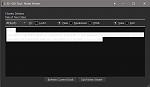
In Plain style and View mode I'm seeing very pale grey text on a white ground within a black box, same in Edit mode, viz:
Unselected
Selected
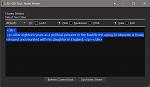
The text should be the very pale grey on the text box's black - i.e. the text itself shouldn't need a background colour (as per owb's MDE example). If I select the text I see pale grey on bright blue, which is fine. Can the unselected text have a transparent background?
Quote:
Originally Posted by DaltonST
- The Qt widget being used is QTextEdit, not QtWebEngine (or previously, QtWebKit). The Qt Web classes all are true browsers, and do what basic browsers do.
I made the mistake of using QtWebKit in my Entities Manager plugin to edit HTML notes; a year later I had to redo it for QtWebEngine. It does open links, though, now that I think about it.
I will look at what I can do from a starting point of QTextEdit. Not full browser-like functionality, that is for sure. Maybe I could emulate some or all of the link types you specified. Don't know yet. Stay tuned.
|
Yeah, doesn't need a full on browser, chaley has the same limitation in the free standing Long Text Editor tool. Having to save and open the Book Details panel to test a link is somewhat inconvenient.

Kovid's minimalist Kitty browser comes to mind.
BR