Quote:
Originally Posted by caseym54

Eventually I got around to this (and some variations)
(?!tm)([a-z][a-z])l\s or maybe a quote.
|
You may want to change that \s -> \b.
- \s = "any space character"
- \b = "Word Boundary" = The "beginning" or the "end" of a word
so this regex:
- l\s = A word that ends in an 'l', followed by a space
- l\b = A word that ends in an 'l', followed by any non-word character (a space, period, comma, colon, quotation mark, bracket, etc.).
(For more info on \b, see
Regular-Expressions.info: "Word Boundaries".)
Anyway, to tackle the "l exclamation point" error, I would probably handle it this way:
Finding Lowercase L Words
In Calibre:
Method A.
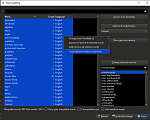
Tools > Check Spelling.
You can use whatever search criteria you need. ("Show only misspelled words", etc.)
Then you can highlight all the words (Ctrl+A) + Right-Click > "Copy Selected Words to Clipboard":
Method B.
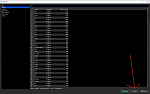
Tools > Reports > Words.
Press the "Save" button in the bottom right. Then you can save a CSV file:
From there, you can export to another program (like Notepad++ or LibreOffice Calc), where you can run regex or do more analysis.
Side Note: I believe Sigil will be getting more CSV/export functionality in the future.

* * *
I ran Method A on a 130k word book:
- 237 "misspelled words" had a lowercase 'l' inside.
- Only 25 ended with a lowercase 'l'.
Code:
Bobbs-Merrill
Bucknell
Jouvenel
Kozol
Kristol
Mandel
Passell
Samual
Shaull
Stargell
Wittfogel
Wohl
al
calculational
eft-liberal
marshall
nonexponential
nonideological
nonrenewal
ntil
pre-Civil
preindustrial
proindustrial
quotal
warall
Now that list is MUCH easier to look through.
In an instant, you can tell most of these are just people's names.
Then you can see:
- "eft-liberal" + "ntil" = missing first letter.
- This ebook had "dropcap" first letter of chapter.
- "al" = "et al."
- Common in Non-Fiction/bibliographies. Latin for "and others".
- The rest are spelled correctly.
- Except "warall", which was an actual typo (missing an EM DASH between).
This method
should catch
most of that "l exclamation point" error.
- - - - -
Side Note: Finding Words Ending With Lowercase L
After getting the list of words out of Calibre...
This is the regex I use in Notepad++:
Search: ^(.+)(l)$
Replace: #\1\2
In English, this searches for:
- ^ = Beginning of line
- .+ = One or more of any characters
- l = the letter lowercase L
- $ = End of line
replace with a '#' at the beginning of that word:
pre-Civil -> #pre-Civil
calculational -> #calculational
Then I sort alphabetically, and poof, all "words with a #" appear up top.
- - - - -
Usage Note: When I ran Method A on "all words":
- 4126 words had a lowercase 'l'.
- 549 ended with a lowercase 'l'.
Here's a piece:
Still reasonable to look through, but you can see how you'd have to have the perfect storm of:
1. A word that is correctly spelled without an 'l'.
2. The 'l' -> exclamation point error occurring.
3. The word also correctly spelled with an extra 'l'.
You can see how rare it would be to land in that category. Three such examples would be:
- Car -> Carl -> Car!
- Although a lowercase "carl" would show up in the misspelled list. How often is "Car" capitalized + followed by an exclamation?
- Capita (as in "per capita") -> Capital -> Capita!
- sea -> seal -> sea!
Grammarchecker
From there, you may want to run the text through a grammarchecker... This may be able to catch:
- oddly capitalized words in the middle of sentences.
- correctly spelled words that don't quite fit.
Example:
- Florida has the least COVID cases per capital The administration didn't comment on the latest good news.
- capital -> capita!
- Grammarcheck may hit on "per capital" OR "The" OR point out something odd in this sentence (missing comma, period, etc.).
- The boat was on the seal And the car was on the land!
Quote:
Originally Posted by caseym54
(?!tm)([a-z][a-z])l\s or maybe a quote.
|
Also a good idea if working in Fiction (or heck, even Non-Fiction).
Very likely the "l exclamation point" error will occur before the close quote, so you'd:
Search: l”
Replace: !”
That would catch things like:
- “Carl” Alex yelled as he dove out of the street.
- “The term is per capital” the statistics professor said. “Every 100,000 people.”
Anyway, those methods would get you 99%+ of the way there, very quickly, without having to check ALL thousands of hits one-by-one-by-one.