View Single Post
Old 10-18-2020, 01:41 AM   #1
ownedbycats
Custom User Title
ownedbycats ought to be getting tired of karma fortunes by now.ownedbycats ought to be getting tired of karma fortunes by now.ownedbycats ought to be getting tired of karma fortunes by now.ownedbycats ought to be getting tired of karma fortunes by now.ownedbycats ought to be getting tired of karma fortunes by now.ownedbycats ought to be getting tired of karma fortunes by now.ownedbycats ought to be getting tired of karma fortunes by now.ownedbycats ought to be getting tired of karma fortunes by now.ownedbycats ought to be getting tired of karma fortunes by now.ownedbycats ought to be getting tired of karma fortunes by now.ownedbycats ought to be getting tired of karma fortunes by now.
 
ownedbycats's Avatar
 
Posts: 11,389
Karma: 79699999
Join Date: Oct 2018
Location: Canada
Device: Kobo Libra H2O, formerly Aura HD
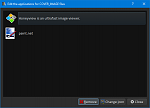
Is there a way to rename this?

When I right-click on a cover and choose to open it:
Click image for larger version

Name:	2020-10-18 01_32_43-Edit the applications for COVER_IMAGE files.png
Views:	465
Size:	15.6 KB
ID:	182854

Is there any way to rename it to just "Honeyview"? I tried editing the string in the Windows MUICache but that didn't do it.

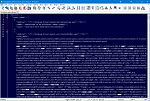
I found a windows_open_with.json but I was a little nervous that editing it might cause issues because, well:
Click image for larger version

Name:	2020-10-18 01_40_09-D__AppData_calibre_windows_open_with.json - Notepad++.png
Views:	421
Size:	129.3 KB
ID:	182855

Last edited by ownedbycats; 10-18-2020 at 01:45 AM.
ownedbycats is offline   Reply With Quote