Quote:
Originally Posted by JSWolf

Have you deleted the font from your Kobo and redownloaded it? Also, when you add in the font, don'tforget to reboot.
|
Actually, I tried to
Factory Reset.
But it didn't help.
Small "j" is not anti-aliased after reset.
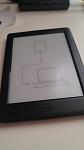
I tried everything.
My last try was change file name: xxx.kepub.epub to xxx.epub
After change it, epub file rendering properly.
If file name is "xxx.
kepub.epub" is not applied anti-aliasing.
I don't know why my KePub reader has problem even if I did Factory Reset.